
Technology that fits how your business already works
The best system is not the one with the most features. It is the one that fits the work, reduces friction, and can be run by the team that owns it.
Good automation removes repeated manual effort without hiding ownership, exceptions, or review points.
Automation is most useful when it removes repeated work that people already understand. It is less useful when it hides a messy process without improving it. The goal is not to make every step automatic. The goal is to reduce the work that slows the team while keeping the important judgment visible.
The best candidates are usually easy to spot. A person copies the same data between systems. A team waits for a file before the next step can start. A manager checks the same fields before approval. These handoffs may be small on their own, but they create delay and confusion when they repeat often.
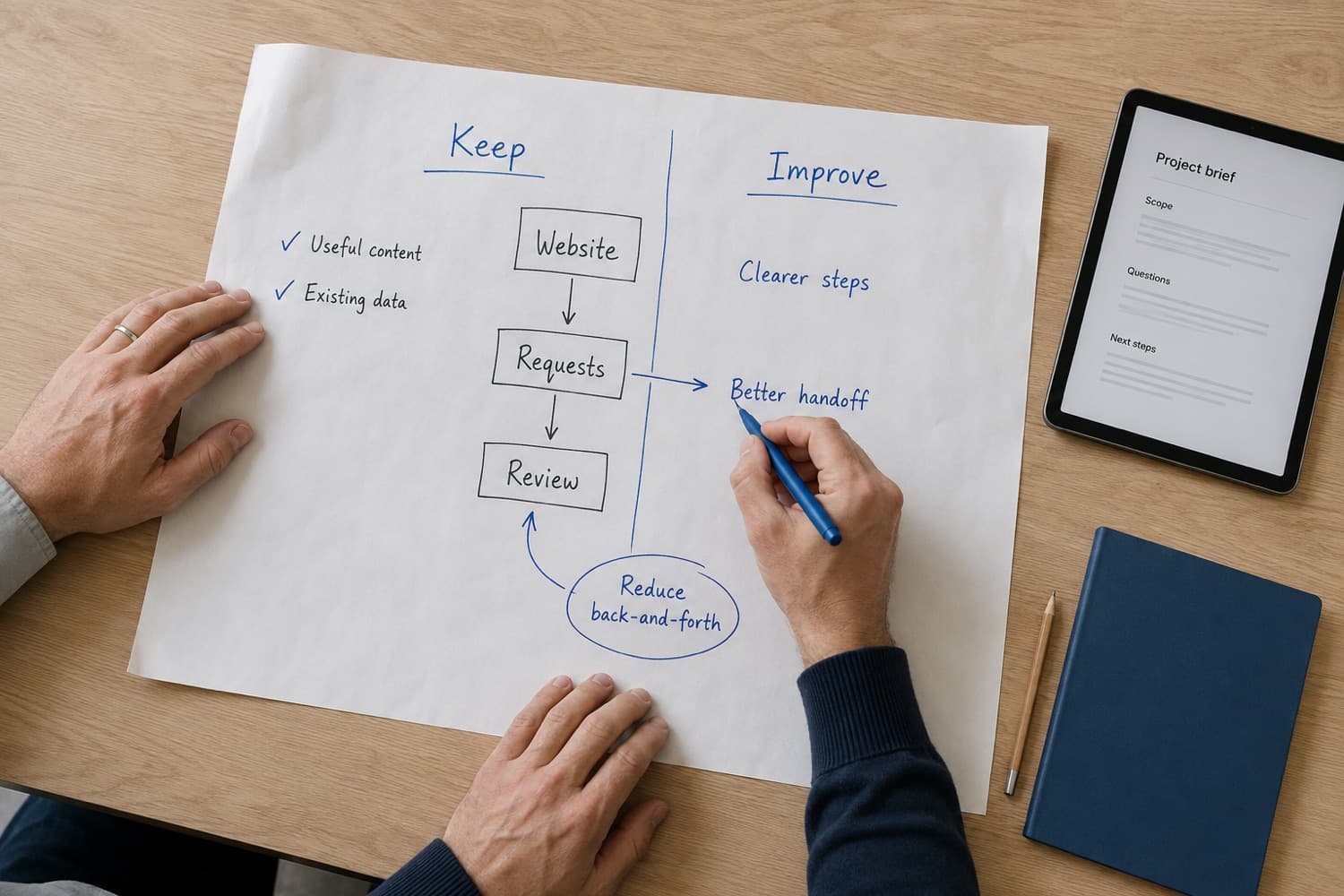
Before automating, write down the current path. Who starts it, what information is needed, which exceptions occur, and what decision comes next? This prevents the team from automating only the visible click path while missing the actual business rule.
It also helps the team decide where automation should stop. A workflow may include a judgment call, a customer exception, or a compliance review that should stay visible. Mapping the handoff shows which steps are repeated handling and which steps are decision points. The goal is not to remove people from the process. The goal is to remove the parts that keep people from doing the judgment work well.
Some manual steps exist because judgment is needed. Removing them too quickly can create risk. Instead of asking whether a human step should disappear, ask what the person is checking and whether the system can prepare that review better.
This keeps automation useful without turning it into a hidden process that no one can explain.
Automated work still needs ownership. Someone should know where the workflow runs, what it touches, how failures are reported, and how changes are approved. Without that, automation becomes another system people work around.
Visibility is part of the feature. A workflow should show its status, record its actions, and make exceptions easy to find. This helps teams trust the automation and improve it over time.
A focused automation effort is easier to test and easier to hand off. Choose one workflow with a clear start, clear end, and repeated manual effort. Clean it up, document it, and learn from how the team uses it. That pattern can then guide the next workflow with less guesswork.
Starting this way keeps expectations grounded. The team can see whether the automation reduces handoff time, whether exceptions are clear, and whether owners trust the result. If the workflow works well, the pattern can be reused. If it does not, the team learns before the same mistake is repeated across several systems. That keeps automation practical instead of sprawling. It also gives the next workflow a better starting point.
Have a related question about your own system?
ContactMore from Insights
The best system is not the one with the most features. It is the one that fits the work, reduces friction, and can be run by the team that owns it.
A careful modernization path keeps useful behavior intact while replacing the fragile parts that slow teams down.
Cloud work should match the way usage changes, the way teams operate, and the way costs are reviewed.